
Best AI Product Photography Tools for Watches (2026): Photoroom vs Flair vs Pebblely vs Photta
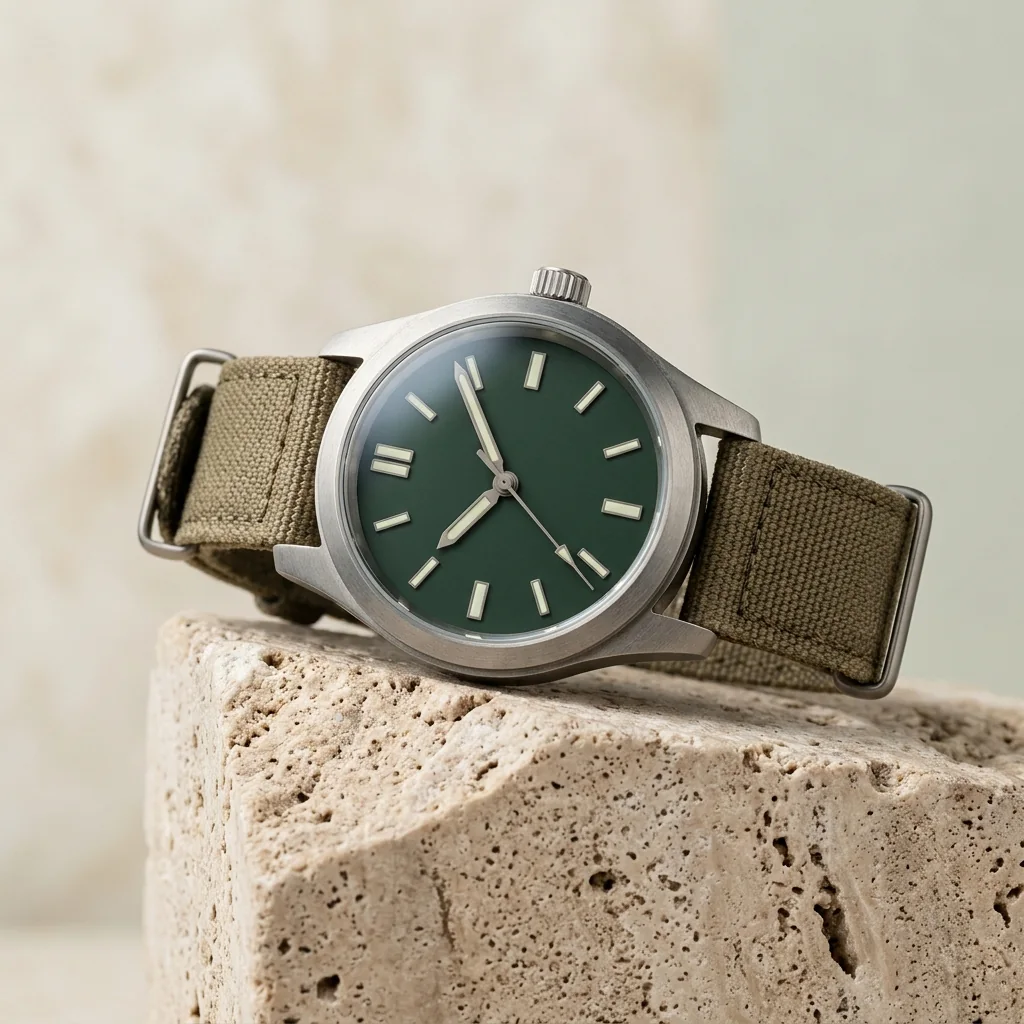
The best AI product photography tool for watches depends on which photo you need. Nightjar is built for catalogues and its watch guide tells you how to keep the dial, hands and date window right, from about $0.13 to $0.17 an image. For studio shots on white or a gradient, Photta’s Watch Studio makes the shot from one photo for about $0.25 to $0.47, and adds wrist try-ons. Photoroom swaps only the background of a photo you already took, Flair stages the product on a drag-and-drop canvas, and Pebblely has a watch page and generates backgrounds around your upload. Every price and feature below was read on each vendor’s own pages; the date is given for each tool.
This list was built from each vendor’s own product, help and pricing pages. Nightjar, Photta, Photoroom, Flair and Pebblely were read again on 17 November 2026, the others on 15 November 2026; the order is not a score, and every entry is held to the same rule: only what the vendor’s own pages state.
Key takeaways
- Most of these tools draw the watch again. Nightjar’s watch guide tells sellers to compare every hand, date window and subdial with the real watch, and Flair’s FAQ says its generative AI “introduces some variation by design”.
- One vendor advises against AI for the dial shot. Apiway’s watch guide says the front-facing dial shot should be a real photograph, and keeps AI for wrist shots.
- Background-only edits keep what you photographed. Photoroom’s White Background tool says it swaps only the background, and Magic Eraser sharpens the dial on your own photo.
- Cost per image runs from about $0.02 to about $1.30. PixelPanda works out at about $0.02 to $0.07, Nightjar at about $0.13 to $0.17, Photta at about $0.25 to $0.47, Pebblely at about $0.08 to $0.30 and Veeton at about $1.00 to $1.30.
Photta vs Photoroom vs Flair vs Pebblely for watch product photos
Photta, Photoroom, Flair and Pebblely all start from a photo of the watch, but they do different jobs with it. Photoroom keeps your photo and changes what is behind it; Photta, Flair and Pebblely make a new picture, so the dial is the part to check. Only Pebblely and Photta have pages that name watches.
| Photta | Photoroom | Flair | Pebblely | |
|---|---|---|---|---|
| What happens to the dial | Redrawn; compare the dial at full size | Kept; only the background is swapped | Generated; variation by design | Background generated; watch handling not stated |
| Best for | Studio shots, with wrist try-on as an extra | Batches of real photos on exact white | Styled scenes built from props | Quick themed scenes behind a watch |
| Starts from | $14 a month | $7.50 a month, billed yearly | $8 a month | US$9 a month |
| Free start | Free credits, watermarked | One free photo; trial | 5 free images | No free trial |
| Pages read | 17 November 2026 | 17 November 2026 | 17 November 2026 | 17 November 2026 |
Every AI product photography tool for watch product photos at a glance
| Tool | Best for | What happens to the dial | Starts from | Free start |
|---|---|---|---|---|
| Nightjar | A whole watch range in one look | Generated; its guide says verify the dial | $25 a month | 6 free credits |
| Photta | Studio shots, with wrist try-on as an extra | Redrawn; compare the dial at full size | $14 a month | Free credits, watermarked |
| Rawshot | Wrist shots with a chosen model and pose | Not stated for dial text or logos | $9 a month | 7-day trial, 50 credits |
| PixelPanda | Many low-cost images per watch | Kept or redrawn: not stated | $7 a month | Free start, amount not stated |
| Magic Eraser (magiceraser.live) | Cleaning up a photo you already took | Kept as photographed, sharpened | $4.99 a week | Free plan with ads |
| Apiway Studio | A watch on a real photographed wrist | Advises real photos for the dial | $19.99 a month | 100 one-time credits |
| AI-Flow | Putting a watch on your model photo | Dial angle adapted to the scene | $4.99 credit pack | 25 welcome credits |
| Veeton | A watch worn by a chosen model | Redrawn from the product photo | $12.99 a month | 7-day trial, 100 credits |
| Photoroom | Batches of real photos on exact white | Kept; only the background is swapped | $7.50 a month, billed yearly | One free photo; trial |
| Flair | Styled scenes built from props | Generated; variation by design | $8 a month | 5 free images |
| Pebblely | Quick themed scenes behind a watch | Background generated; watch handling not stated | US$9 a month | No free trial |
Two kinds of watch product photos: kept as photographed, or redrawn
A watch face carries a lot of small print: a logo, numerals, a date window, sub-dials and hands. That is where the tools below differ.
A retouching or cut-out tool works on the photo you took. It cleans and sharpens the picture, but every mark on the dial is the one your camera recorded. Magic Eraser works this way, and so does Photoroom’s White Background tool, which says it swaps only the background.
A generating tool makes a new picture from your photo: a studio shot, a lifestyle scene, or the watch on a wrist. The watch is drawn again, so logo, numerals and hands are the parts to check. Nightjar, Photta, Rawshot, Veeton and Flair work this way.
Wrist shots are nearly always generated. Use them to show size and style, and keep one dial-forward photo that is real, or checked at full zoom. The same split runs through white background product photos of any product.
The 11 AI product photography tools for watch product photos
1. Nightjar: catalogue watch product photos with a written dial check
Nightjar makes listing images, lifestyle scenes and on-model shots from product photos, or from a pasted link to a product page, at 1K, 2K or 4K. Its watch help article covers dial-led shots and wrist shots, and a built-in review compares each result with your references. It has a Shopify app, and an API on every paid plan.
- What happens to the dial: Generated from your photos: its watch guide says to direct the AI to preserve the dial, then compare every hand, date window and subdial, and verify logo and bezel text.
- Price: Studio is $25 a month for 150 credits, about $0.17 an image; Studio+ is $50 a month for 400 credits, $0.125 an image. A 1K or 2K photo uses 1 credit, 4K uses 2.
- Free start: 6 credits with no credit card; a watermark is not stated.
- Not for: Sellers who want to publish without checking: its own guide asks for each hand, the date window and the logo to be verified first.
- Pages read: 17 November 2026
2. Photta: studio watch product photos on white or a gradient, with wrist try-on
Photta is an AI product photography studio that runs in the browser. In its Watch Studio you upload a photo of the watch, on any background, and get a studio shot on a white or gradient backdrop. The same account has macro and lifestyle styles for watches and a watch try-on that shows the piece on a wrist. Photos come at 2K on every account and at 4K on a paid plan, in 1:1, 3:4, 4:3, 16:9 or 9:16. Every plan includes unlimited background removal and an API; finished photos are downloaded and uploaded to the store by the seller.
- What happens to the dial: Redrawn. Photta makes the whole shot from your photo instead of pasting in the original pixels, so compare logo, numerals and hands with the real watch at full size.
- Price: About $0.25 to $0.47 a photo at 2K, from the photos each monthly plan includes: $14 a month for 30, $29 for 100, $79 for 300 and $249 for 1,000. A 4K version costs a little more; one-time packs start at $6 and never expire.
- Free start: A new account gets free credits with no card, enough for four or five product photos at 2K; free photos carry a watermark until a first purchase.
- Not for: A dial that must stay exactly as photographed; sellers who cannot check each result should retouch a real photo instead.
- Pages read: 17 November 2026
3. Rawshot: directed hand-and-wrist watch product photos
Rawshot is a configurator-style AI photo studio with a watch section. You import a product photo, flat lay, mockup or sketch, then pick the model, body frame, pose, light and background. The watch is shown worn, in a hand-and-wrist composition, at 2K or 4K.
- What happens to the dial: Its watch page says clear source imagery helps preserve visible watch details; it does not say dial text or logos are reproduced exactly.
- Price: Starter is $9 a month for 80 credits, enough for 16 images; Business is $179 a month. Its pricing page states $0.56 down to $0.45 per image.
- Free start: A 7-day free trial with 50 credits, enough for 10 images; a watermark on trial images is not stated.
- Not for: A plain dial-forward packshot: its watch page describes worn compositions, and its output is AI-labelled.
- Pages read: 15 November 2026
4. PixelPanda: low-cost watch product photos on white, in scenes or on a wrist
PixelPanda turns one watch photo into white-background shots and lifestyle scenes from 12 scene templates, or shows the watch on an AI model’s wrist for scale. Each generated product photo costs 1 credit, and unused credits roll over.
- What happens to the dial: Its pages do not state whether the watch is kept or redrawn; the watch page says upscaling keeps dial markers and engravings sharp.
- Price: Lite is $7 a month for 100 credits, about $0.07 a photo; Starter is $24 a month for 1,125 credits, about $0.02 a photo.
- Free start: The button on its watch page reads “Generate Watch Photos - Free”; the number of free credits is not stated.
- Not for: Sellers who need to know how a logo or dial text is treated before they buy, since its pages do not say.
- Pages read: 15 November 2026
5. Magic Eraser (magiceraser.live): retouched watch product photos that keep your own picture
Magic Eraser is a photo editing app with task templates. Its Watch Product Photo template works on a picture you already took: it removes the background, dust and fingerprints, reduces crystal reflections and sharpens the dial. It does not generate a new scene or a model.
- What happens to the dial: Kept as photographed: hour markers, hands and printed text are sharpened, and the page says the template cannot create detail that was not captured.
- Price: Weekly is $4.99 a week and Yearly is $29.99 a year, each with unlimited AI filters and exports.
- Free start: A free plan with basic editing tools, limited AI filters and ads; a watermark is not stated.
- Not for: Sellers without a good photo to start from, or who want the watch on a model’s wrist.
- Pages read: 15 November 2026
6. Apiway Studio: wrist watch product photos on real photographs
Apiway Studio is built around a marketplace of real photo sets shot by creators. A brand uploads a clean side or three-quarter photograph of the watch and runs a try-on against a creator set, which places it on an existing photograph of a wrist. These facts come from its own watch guide.
- What happens to the dial: Its guide says not to use AI for the front-facing dial shot or the side product shot, which should be real photographs.
- Price: Starter is $19.99 a month for 2K shared credits, and extra credits cost $0.01 each; the number of credits one image uses is not stated.
- Free start: A free tier with one-time credits: the pricing page says 100, the body of its guide says 150.
- Not for: Dial-front or side product shots, by its own advice, and looks outside the photo sets in its creator marketplace.
- Pages read: 15 November 2026
7. AI-Flow: watch product photos placed on your own model photo
AI-Flow is a workflow builder with ready-made mini apps. Its watch mockup template takes a clear watch product image and a model photo with a visible wrist, and places the watch on that wrist. Its home page says there is no subscription.
- What happens to the dial: The template says a clear product image improves the fidelity of the dial, and that it adapts dial angle and metal reflections to the scene.
- Price: Credit packs are $4.99 for 200 credits, $9.99 for 500 and $29.99 for 1,500. A watch mockup run uses about 19 to 36 credits, about $0.47 to $0.90 a run on the smallest pack.
- Free start: A free tier with 25 welcome credits and no credit card; a watermark is not stated.
- Not for: Sellers without a model photo of their own: the watch template needs one with a visible wrist.
- Pages read: 15 November 2026
8. Veeton: on-model watch product photos from a packshot
Veeton is an AI fashion photoshoot tool that turns a packshot into on-model photos. Watches sit inside its Jewelry category beside earrings, necklaces, rings and bracelets: you upload a packshot, pick a model and get photos of the piece worn. Watches have no page of their own among the pages read.
- What happens to the dial: Redrawn: its page says Veeton reproduces the piece from the product photo; nothing is stated about dial text or logos.
- Price: Pro 100 is $12.99 a month for 100 credits, which is 10 on-model images, about $1.30 an image; Pro 2000 is $199.99 a month, about $1.00 an image.
- Free start: A 7-day free trial with 100 free credits, about 10 photos, and no credit card; watermark-free exports are listed as a Pro feature.
- Not for: Sellers who need many low-cost images, at roughly $1.00 to $1.30 each, or a dial kept from the upload.
- Pages read: 15 November 2026
9. Photoroom: white backgrounds for watch product photos you already have
Photoroom is a product photo editor on the web, iPhone, iPad and Android, with a Shopify integration on its Max and Ultra plans. Its White Background tool sets pure white RGB 255,255,255 behind the product, and its AI tools run on up to 250 images at once. Its pages read include no watch page.
- What happens to the dial: Its White Background page says the AI swaps only the background; its Product Staging scenes are generated.
- Price: Pro is $7.50 a month billed yearly, with 8,000 AI credits and 1,000 exports a month; Max is $20.99 and Ultra $82.50 a month billed yearly. Monthly-billing prices were not shown in the pricing page text read.
- Free start: Its White Background tool is free for one photo, and Pro and Max offer a free trial whose length is not stated.
- Not for: Wrist shots of a watch, which its pages do not describe, or a fidelity guarantee, offered only as an Enterprise add-on.
- Pages read: 17 November 2026
10. Flair: watch product photos staged on a drag-and-drop canvas
Flair is an AI design canvas: you place the product, drag in props and let the AI build the scene, alone or with a team. Its category pages name beauty, jewelry, handbags, food and fashion models; watches are not named. Video generation and upscales come with paid plans.
- What happens to the dial: Generated: its FAQ says Flair uses generative AI, which introduces some variation by design; dial text is not addressed.
- Price: Pro+ is $26 a month for 80 generated images and Scale $38 a month for 150, about $0.25 to $0.33 an image; Pro is $8 a month, its image count not stated.
- Free start: A free plan at $0 “forever” with 5 generated images and 1 video; a watermark is not stated.
- Not for: Sellers who need a watch-specific workflow or a dial kept exactly, which its pages do not describe.
- Pages read: 17 November 2026
11. Pebblely: AI backgrounds for watch product photos from a watch template
Pebblely generates backgrounds around an uploaded product photo, with 40+ background themes and custom prompts, and has a watch category page. Its FAQ says the AI adds shadows and reflections to match the scene. Bulk generation and reference images come with the Basic and Pro plans.
- What happens to the dial: Its pages say the AI creates backgrounds based on your upload; whether the watch itself is kept or redrawn is not stated.
- Price: Lite is US$9 a month for 30 images, Basic US$19 for 200 and Pro US$39 for 500, about $0.08 to $0.30 an image; yearly billing gives “2+ months free”.
- Free start: No free trial: its pricing page says “We do not offer free trials.”
- Not for: Wrist or on-model shots, which its pages do not describe, or anyone who wants to try it free first.
- Pages read: 17 November 2026
How to check watch product photos before you publish
Open each result at full size beside the real watch and go through this list.
| Check | What to look for |
|---|---|
| Logo and brand name | Same spelling, same lettering, same position on the dial |
| Numerals and indices | The right count, style and spacing |
| Hands | The right number of hands, in the right shapes and lengths |
| Date window and sub-dials | In the right place, with readable figures |
| Strap and clasp | The real material, stitching, color and buckle |
| Wrist shots | A believable case size on the wrist, with the crown on the correct side |
Which AI product photography tool for watch product photos fits your shop
- You need a whole range of watches shot in one look, with a dial check built in: use Nightjar.
- You need a clean studio shot on white or a gradient from one photo, and wrist try-ons from the same account: use Photta or PixelPanda.
- You need the dial to stay exactly as photographed: use Magic Eraser on your own photo, or Photoroom’s White Background tool.
- You need the watch on a model’s wrist and have no model photo: use Rawshot, Veeton or Photta’s watch try-on.
- You want styled scenes with props around the watch: use Flair, or Pebblely’s background themes.
- You need the lowest cost per image across many listings: use PixelPanda, or Nightjar on its Studio+ plan.
FAQ: AI product photography tools for watch product photos
What is the best AI product photography tool for watch product photos?
It depends on the shot. Nightjar suits a whole catalogue and comes with a written dial check, Photta’s Watch Studio makes studio shots and wrist try-ons for about $0.25 to $0.47 a photo, and Photoroom keeps your own photo and swaps only the background.
Photoroom vs Flair vs Pebblely: which is best for watch product photos?
They do different jobs. Photoroom swaps the background behind a photo you took, Flair builds a styled scene on a canvas, and Pebblely generates themed backgrounds and has a watch page; only Pebblely of the three names watches on its pages.
Do AI tools change the dial in watch product photos?
Yes, most can. Nightjar, Photta, Rawshot, Veeton and Flair generate a new image from your photo, so the logo, numerals and hands are drawn again and need checking. Magic Eraser and Photoroom’s White Background tool work on the photo you took.
Can AI put my watch on a wrist for watch product photos?
Yes. Rawshot, Veeton, PixelPanda and Photta’s watch try-on show the watch on a generated wrist, and AI-Flow places it on a model photo you supply. Treat these as pictures of style and scale; the same caution applies to eyewear product photos shown on a face.
How much do AI watch product photos cost?
From about $0.02 to about $1.30 an image on the plans read. PixelPanda works out at about $0.02 to $0.07, Nightjar at about $0.13 to $0.17, Photta at about $0.25 to $0.47, Pebblely at about $0.08 to $0.30 and Veeton at about $1.00 to $1.30.
Can I make watch product photos with AI for free?
Yes, in small numbers. Photta gives a new account free credits for four or five product photos, with a watermark until a first purchase; Nightjar gives 6 free credits, Flair has a free plan with 5 images and Rawshot has a 7-day trial; Pebblely says it offers no free trial.
Sources for this comparison of watch product photos tools
- Read on 17 November 2026: Nightjar, Photta, Photoroom, Flair, Pebblely, each on its own product, help and pricing pages (for Photta, its pricing page, llms.txt and tool pages).
- Read on 15 November 2026: Rawshot, PixelPanda, Magic Eraser (magiceraser.live), Apiway Studio, AI-Flow, Veeton, each on its own product and pricing pages.
- Photoroom’s and Flair’s pages read do not name watches; Photoroom’s pricing page text showed yearly billing prices only.
- Cost per image is our own arithmetic from the listed plan prices, except where a vendor states it. Where a page does not state something, this comparison says “not stated”.
- The addresses of every page read are kept in this site’s source record for this post, so the facts can be refreshed.
Related comparisons
Generate Product Descriptions with AI
Upload your catalog. Get optimized descriptions, titles, keywords, and meta tags in minutes.
Start Free — No Credit CardDescriptra Team
Content Team
The Descriptra team writes about AI content generation, e-commerce SEO, and product copywriting best practices.
Related Articles
Best AI Product Photography Tools for Ecommerce (2026): Photoroom vs Pebblely vs Flair vs Photta
Nov 17, 2026
Best AI Product Photography Tools for Amazon (2026): Photoroom vs Canva vs Adobe Firefly vs Photta
Nov 15, 2026
Best AI Product Photography Tools to Replace Backgrounds (2026): Photoroom vs Adobe Firefly vs Canva vs Photta
Nov 15, 2026