
Best AI Product Photography Tools for Cosmetics (2026): Photoroom vs Flair vs Pebblely vs Canva vs Photta
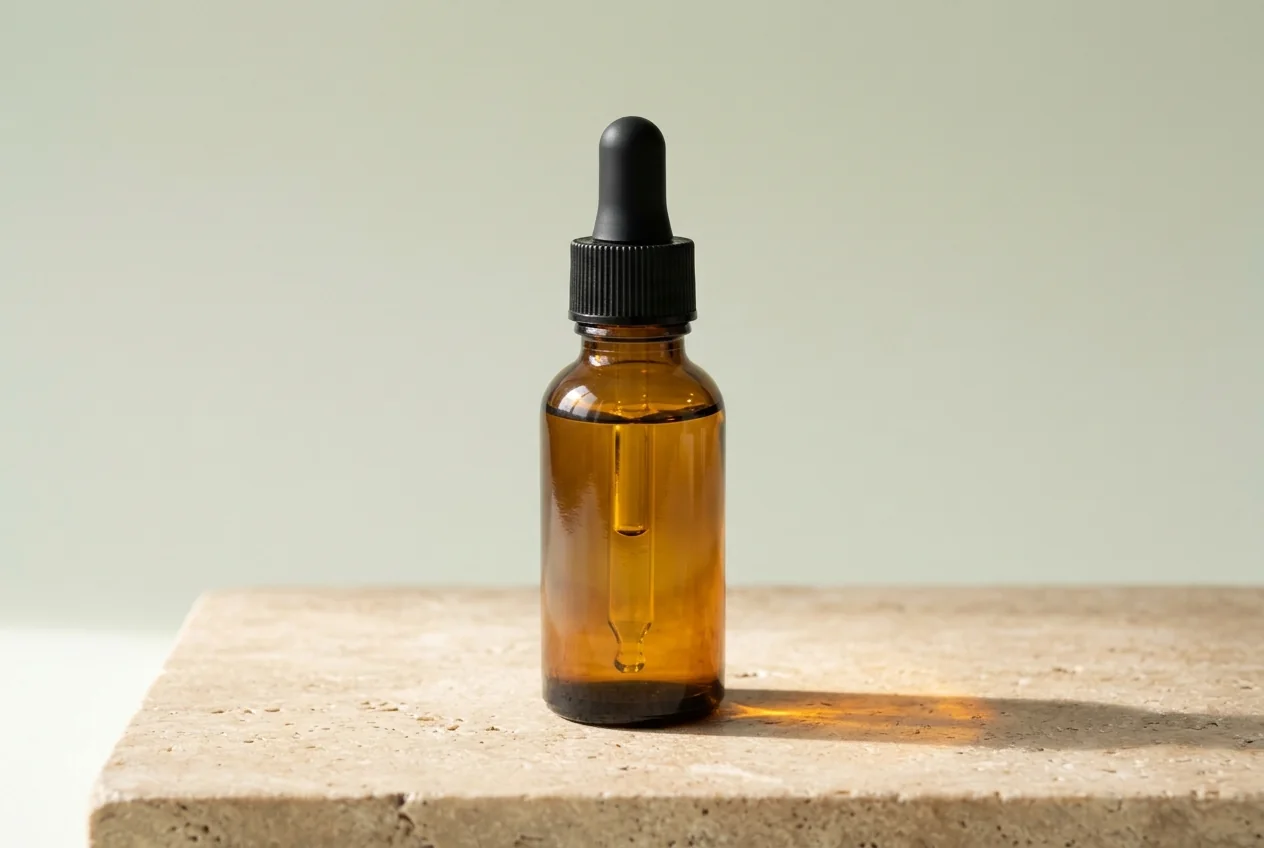
The best AI product photography tool for cosmetics depends on the shot you need and on how much the label matters. EcomShot has a cosmetics page that handles reflective lipsticks and compacts with controlled highlights, from about $0.08 to $0.17 a photo. For a studio shot of a lipstick, serum or cream, Photta’s Cosmetics Studio Shot lights matte, metallic and glass finishes for about $0.25 to $0.47 a photo. Photoroom’s White Background tool swaps only the background, Flair names beauty among its categories and stages products on a canvas, Pebblely has a skincare and beauty page, and Canva lists a bulk Photo Background Remover on its paid plans. Every price and feature below was read on each vendor’s own pages; the date is given for each tool.
This list was built from each vendor’s own product, help and pricing pages. EcomShot, Photta, Photoroom, Flair, Pebblely and Canva were read again on 17 November 2026, the others on 15 November 2026; the order is not a score, and every entry is held to the same rule: only what the vendor’s own pages state.
Key takeaways
- The label is the risk. AI-Flow’s skincare page says very small text may not always stay perfectly readable, and Flair’s FAQ says its generative AI “introduces some variation by design”.
- Some tools say they leave the packaging alone. Caspa AI states that the packaging and label are kept as they are, Product Shoot says shade name, case finish and product color are kept exact, and Photoroom’s White Background tool swaps only the background.
- A generated photo costs from about $0.04 to about $0.47 where it can be worked out. Product Shoot lists a Standard image at about $0.04 to $0.06, EcomShot works out at about $0.08 to $0.17, Pebblely at about $0.08 to $0.30, Flair at about $0.25 to $0.33 and Photta at about $0.25 to $0.47 at 2K.
- Most tools can be tried without a card. Nightjar gives 6 free photos, EcomShot and Flair 5, Photta four or five with a watermark and Product Shoot 1; Caspa AI has no free plan and Pebblely offers no free trial.
Photta vs Photoroom vs Flair vs Pebblely vs Canva for cosmetics product photos
Photta, Photoroom, Flair and Pebblely all start from a photo of the product, but they do different jobs with it. Photoroom’s White Background tool keeps your photo and changes what is behind it; Photta and Flair make a new picture, so the label is the part to check. Pebblely generates backgrounds around your upload. Canva is a design tool, and its pages read do not name cosmetics.
| Photta | Photoroom | Flair | Pebblely | Canva | |
|---|---|---|---|---|---|
| What happens to the label | Redrawn from your photo; compare it | Kept on white; staging generated | Generated; variation by design | Background generated; pack handling not stated | Not stated on the pages read |
| Best for | Studio shots of makeup and skincare | Batches of real photos on exact white | Styled beauty scenes built from props | Quick themed scenes behind a pack | Sellers who already design in Canva |
| Starts from | $14 a month | $7.50 a month, billed yearly | $8 a month | US$9 a month | US$144 a year |
| Free start | Free credits, watermarked | One free photo; trial | 5 free images | No free trial | Free plan; AI photo tools paid |
| Pages read | 17 November 2026 | 17 November 2026 | 17 November 2026 | 17 November 2026 | 17 November 2026 |
Every AI product photography tool for cosmetics product photos at a glance
| Tool | Best for | What happens to the label | Starts from | Free start |
|---|---|---|---|---|
| EcomShot | Reflective packs at a low price | Colors stated kept; label not stated | $10 a month, billed annually | 5 free credits, no card |
| Photta | Studio shots of makeup and skincare | Redrawn from your photo; compare it | $14 a month | Free credits, watermarked |
| AI-Flow | A four-image skincare set | Aims to keep it; small text may blur | $4.99 for 3 photoshoots | Free credits, amount not stated |
| Nightjar | One product reused across many shoots | Regenerated, then reviewed and retried | $25 a month | 6 photos, no card |
| Caspa AI | Template scenes around the real pack | Stated as kept as it is | $59 a month | No free plan |
| Product Shoot | Backdrop scenes at a low price | Shade name and finish stated exact | $15 a month | 1 image, no card |
| OpenCreator | Swatches and texture smears | Not stated on the page read | $27 a month, billed yearly | 500 credits a month |
| Photoroom | Batches of real photos on exact white | Kept on white; staging generated | $7.50 a month, billed yearly | One free photo; trial |
| Flair | Styled beauty scenes built from props | Generated; variation by design | $8 a month | 5 free images |
| Pebblely | Quick themed scenes behind a pack | Background generated; pack handling not stated | US$9 a month | No free trial |
| Canva | Sellers who already design in Canva | Not stated on the pages read | US$144 a year | Free plan; AI photo tools paid |
What AI does to the label in cosmetics product photos
A jar of cream or a lipstick carries more text for its size than almost any other product: brand, shade name, volume, claims and an ingredient list in small print.
Tools handle it in one of two ways. Some say they keep the packaging from your photo and build the scene around it. Caspa AI and Product Shoot describe their tools this way on their beauty pages, and Photoroom’s White Background tool says it swaps only the background. Others make a new picture from your photo. AI-Flow aims to preserve the pack and warns about very small text; Nightjar asks for sharp label close-ups as references and reviews each result; Photta makes the whole shot from your photo and tells you to compare it; Flair’s FAQ says its generative AI introduces some variation by design.
Neither kind removes the need to check: read every result at full size against the real pack. The same rule applies to glass bottles in perfume product photos.
The 11 AI product photography tools for cosmetics product photos
1. EcomShot: studio and lifestyle cosmetics product photos with controlled highlights
EcomShot generates product photos and model photos from an uploaded picture. On its cosmetics page you take a photo against any background and the AI isolates the product; it handles reflective surfaces such as lipsticks and compacts with controlled highlights, and its scenes include a vanity with a mirror reflection, a color swatch flat lay and a minimalist beauty editorial. A Shopify integration comes with every paid plan, and Creator and Pro output at 4K.
- What happens to the label: Its cosmetics page says the AI preserves the true colors from your original photo; label text is not addressed, and the page suggests including packaging details in your prompts.
- Price: Billed annually, Starter is $10 a month ($120 a year) for 60 product photos at 2K, Creator is $24 a month ($288) for 200 and Pro is $49 a month ($588) for 600 at 4K, about $0.08 to $0.17 a photo.
- Free start: A free plan at $0 gives 5 credits on sign-up with no credit card, which on its plans is 5 product photos; a watermark is not stated.
- Not for: Sellers who want a written statement about label text before they start; its page gives one about color only.
- Pages read: 17 November 2026
2. Photta: studio cosmetics product photos lit for matte, metallic and glass packs
Photta is an AI product photography studio that runs in the browser, and its Cosmetics Studio Shot is the tool for beauty products: lipstick, foundation, serum, cream or any other makeup or skincare item. You upload a photo with the label visible, and it returns the product on a studio backdrop, with lighting set for matte, metallic and glass finishes. Photos come at 2K on every account and at 4K on a paid plan, in 1:1, 3:4, 4:3, 16:9 or 9:16. A separate Product in Hand tool takes one or two photos and adds a woman’s or a man’s hand holding the product, which suits a serum or lipstick that fits in one hand.
- What happens to the label: Photta makes the whole shot from your photo, so the label is redrawn rather than pasted in; compare label text, logo, color and small print with the real pack before you publish.
- Price: About $0.25 to $0.47 a photo at 2K, from the photos each monthly plan includes: $14 a month for 30, $29 for 100, $79 for 300 and $249 for 1,000. A 4K version costs a little more; one-time packs start at $6 and never expire.
- Free start: A new account gets free credits with no card, enough for four or five product photos at 2K; free photos carry a watermark until a first purchase.
- Not for: Sellers who need the original label pixels left untouched, or photos sent straight into a store: no Shopify app or store sync is stated.
- Pages read: 17 November 2026
3. AI-Flow: four skincare and cosmetics product photos from one upload
AI-Flow is a workflow-based AI app builder with ready-made photoshoot apps. Its skincare tool turns one product photo into four images: ecommerce, lifestyle, close-up and campaign. Its page names serum bottles, jars, tubes and pumps, and includes concepts with a model holding the product.
- What happens to the label: Its page says the tool aims to preserve packaging and label identity, but that very small text may not always stay perfectly readable.
- Price: Packs are $4.99 for 3 photoshoots, $9.99 for 8 and $29.99 for 25, about $0.30 to $0.42 an image; the page does not state whether these are one-time or monthly.
- Free start: Free credits are included with no card needed; the amount is not stated.
- Not for: Packs covered in fine print such as full ingredient lists, given the page’s own warning about very small text.
- Pages read: 15 November 2026
4. Nightjar: repeatable cosmetics product photos from a saved product and style
Nightjar is an AI product photography app on the web, as a Shopify app and through an API. You build a reusable Product from several reference photos and save Photography Styles to apply again. Its skincare guide advises adding label, cap and texture views.
- What happens to the label: Images are generated from up to nine reference photos; a built-in review compares each result with them and can retry a misspelled brand name or a replaced logo at no extra credit.
- Price: Studio is $25 a month for 150 photos at 1K or 2K, about $0.17 each. Studio+ is $50 and Ultra is $100 a month, about $0.125 each; a 4K photo counts double.
- Free start: Six free credits with no card, enough for 6 product photos.
- Not for: A seller with a single photo of each product: the workflow is built on several reference views, and its beauty advice comes from a guide on its own blog.
- Pages read: 15 November 2026
5. Caspa AI: cosmetics product photos on marble, at a vanity or in a hand
Caspa AI takes one product photo and lets you choose a white background, a model or a template scene, or type a prompt. Its beauty page covers lipsticks, compacts, palettes and hair products, placed on marble, at a vanity or in a model’s hand. It also has a Shopify app.
- What happens to the label: Its beauty page says the packaging and label are kept as they are while the scene is built around the product.
- Price: Starter is $59 a month, or $39 a month billed yearly, for 500 credits and images only; Growth is $99 and Scale is $249 a month. The number of credits one image uses is not stated.
- Free start: There is no free plan: a card is needed when you choose a plan, with a 30-day money-back guarantee.
- Not for: Sellers who want to try a tool before paying, or who need a known cost per photo before they commit.
- Pages read: 15 November 2026
6. Product Shoot: low-cost cosmetics product photos from a phone picture
Product Shoot is a browser Studio that turns a phone photo into a white main image and backdrop scenes, with a Product on Model tool and resizing for marketplaces. Its cosmetics page recommends the Backdrop Swap tool for lipsticks, palettes and compacts.
- What happens to the label: Its cosmetics page says Backdrop Swap keeps the shade name, case finish and product color exact while it builds the setting.
- Price: Starter is $15 a month for about 250 Standard images, Pro is $30 and Studio is $50 a month; a Standard image works out at about $0.04 to $0.06.
- Free start: Four free credits with no card, which is one Standard image.
- Not for: Sellers who need a stated output size: the maximum resolution is not stated on the pages read.
- Pages read: 15 November 2026
7. OpenCreator: a template for cosmetics product photos with swatches and texture smears
OpenCreator is a workflow-style AI creation platform with templates. Its Cosmetics E-commerce Photo Set template takes an uploaded photo of a lipstick, palette or foundation and generates clean packshots, color swatches, texture smears and lifestyle beauty scenes.
- What happens to the label: The template page does not state whether the label or packaging is preserved.
- Price: The entry paid plan is $27 a month on yearly billing with 15,000 credits a month. The credits one image uses are not stated, so a cost per photo cannot be worked out.
- Free start: A free tier has a 500-credit monthly limit.
- Not for: Sellers who need a written statement on label fidelity or a known cost per photo before they start.
- Pages read: 15 November 2026
8. Photoroom: white backgrounds and staged scenes for cosmetics product photos you already have
Photoroom is a product photo editor on the web, iPhone, iPad and Android, with a Shopify app and a Shopify integration on its Max and Ultra plans. Its White Background tool sets pure white RGB 255,255,255 behind the product, and its AI tools run on up to 250 images at once. Its beauty page says it fine-tunes brightness, hue and contrast so formulas and packaging look like real life.
- What happens to the label: Its White Background page says the AI swaps only the background; Product Staging generates a lifestyle scene, and whether the product is kept unchanged there is not stated.
- Price: Pro is $7.50 a month billed yearly, with 8,000 AI credits and 1,000 exports a month; Max is $20.99 and Ultra $82.50 a month billed yearly. Monthly-billing prices were not shown in the pricing page text read.
- Free start: Its White Background tool is free for one photo, and Pro and Max offer a free trial whose length is not stated.
- Not for: Sellers who need 4K images, listed on Ultra only, or a fidelity guarantee, offered as an Enterprise add-on for food and fashion businesses.
- Pages read: 17 November 2026
9. Flair: cosmetics product photos staged on a drag-and-drop canvas
Flair is an AI design canvas: you place the product, drag in props and mix it with templates to stage a scene. Beauty and consumer packaged goods are among the categories its pages name. Paid plans add video generations, upscales and variations.
- What happens to the label: Generated: its FAQ says Flair uses generative AI, which introduces some variation by design; label text is not addressed.
- Price: Pro+ is $26 a month for 80 generated images and Scale $38 a month for 150, about $0.25 to $0.33 an image; Pro is $8 a month, its image count not stated.
- Free start: A free plan at $0 “forever” with 5 generated images and 1 video; a watermark is not stated.
- Not for: Unreleased packaging on the Free, Pro or Pro+ plans, whose content its FAQ says may be featured on the Flair Community site; Scale content is private by default.
- Pages read: 17 November 2026
10. Pebblely: AI backgrounds for cosmetics product photos from a skincare and beauty page
Pebblely generates backgrounds around an uploaded product photo, with 40+ background themes and custom prompts, and has a skincare and beauty category page. Its FAQ says the AI adds shadows and reflections to match the scene. Bulk generation comes with the Basic and Pro plans, and paid plans use reference images and make sizes for social media.
- What happens to the label: Its pages say the AI creates backgrounds based on your upload; whether the product and its label are kept or redrawn is not stated.
- Price: Lite is US$9 a month for 30 images, Basic US$19 for 200 and Pro US$39 for 500, about $0.08 to $0.30 an image; yearly billing gives “2+ months free”.
- Free start: No free trial: its pricing page says “We do not offer free trials.”
- Not for: Anyone who wants to try it free first, or who may want a refund: its pages say neither is offered.
- Pages read: 17 November 2026
11. Canva: background tools for cosmetics product photos inside a design app
Canva is a design platform, and its pages read do not name cosmetics or product photography. Its pricing table lists a Photo Background Remover that works one image at a time or in bulk, a Photo Background Generator that takes a text prompt, and Magic Edit and Magic Expand, all on paid plans. AI tools share a monthly allowance that varies by plan.
- What happens to the label: Not stated: the pricing page read does not say what its AI tools do to a label.
- Price: Pro is US$144 a year for one person and Business US$250 a year per person, on the US pricing page.
- Free start: Canva Free costs US$0, but its pricing table lists Photo Background Remover, Photo Background Generator, Magic Edit and Magic Expand as not included on it.
- Not for: Sellers who want a cosmetics workflow, which its pages read do not describe, or AI photo tools on the free plan.
- Pages read: 17 November 2026
How to check cosmetics product photos before you publish
Before a generated photo goes on a listing, put it next to the real product and go down this list.
| Check | What to look for |
|---|---|
| Brand and logo | Spelled and drawn as on the pack, with nothing added |
| Shade name and number | The same as the unit you ship |
| Small print | Volume, claims and ingredients readable, or cropped out on purpose |
| Product color | Lipstick bullet, cream or liquid matches the real shade |
| Finish | Matte stays matte; metal and glass do not gain new reflections |
| Shape and cap | Proportions, pump and cap are unchanged |
| Marketplace rules | Size and background follow the rules of the site you sell on |
Which AI product photography tool for cosmetics product photos fits your shop
- You need low-cost studio and lifestyle shots of reflective lipsticks and compacts: use EcomShot.
- You need a clean studio shot of makeup or skincare with lighting for the finish, and in-hand shots from the same account: use Photta.
- You need the packaging and label left as you shot them: use Caspa AI or Product Shoot, which both state this, or Photoroom’s White Background tool.
- You need a skincare set, swatches or texture smears from one photo: use AI-Flow or OpenCreator.
- You want styled scenes with props or themed backgrounds: use Flair, or Pebblely’s background themes.
- You sell on Shopify: EcomShot, Nightjar, Caspa AI and Photoroom list a Shopify integration or app; Photta photos are downloaded and uploaded by the seller.
- You already design in Canva and need backgrounds removed or generated: use Canva on a paid plan.
FAQ: AI product photography tools for cosmetics product photos
What is the best AI product photography tool for cosmetics product photos?
It depends on the shot. EcomShot handles reflective lipsticks and compacts for about $0.08 to $0.17 a photo, Photta’s Cosmetics Studio Shot makes studio shots lit for matte, metallic and glass finishes for about $0.25 to $0.47, and Photoroom’s White Background tool keeps your photo and swaps only the background.
Photoroom vs Flair vs Pebblely vs Canva: which is best for cosmetics product photos?
They do different jobs. Photoroom swaps the background behind a photo you took, Flair builds a styled scene on a canvas, Pebblely generates themed backgrounds and has a skincare and beauty page, and Canva offers background tools on its paid plans. Canva’s pages read do not name cosmetics.
Will AI change the label in my cosmetics product photos?
It can. AI-Flow’s page says very small text may not always stay perfectly readable, Flair’s FAQ says its AI introduces some variation by design, and Photta redraws the product and tells sellers to compare the label. Caspa AI and Product Shoot state that packaging, label or shade name are kept, but check every result at full size anyway.
How much do AI cosmetics product photos cost?
From about $0.04 to about $0.47 a generated photo, where it can be worked out from the plans read. Product Shoot lists a Standard image at about $0.04 to $0.06, EcomShot works out at about $0.08 to $0.17, Pebblely at about $0.08 to $0.30, Flair at about $0.25 to $0.33 and Photta at about $0.25 to $0.47 at 2K.
Can I make cosmetics product photos with AI for free?
Yes, in small numbers. Nightjar gives 6 free photos, EcomShot 5 credits, Flair 5 images and Product Shoot 1, and Photta gives free credits for four or five photos that carry a watermark until a first purchase. Caspa AI has no free plan, and Pebblely says it offers no free trial.
Which AI tools make skincare and cosmetics product photos with a hand or a model?
Several do. Photta has a separate Product in Hand tool, Caspa AI places beauty products in a model’s hand, EcomShot makes model photos, and AI-Flow includes concepts with a model holding the product. See our comparison of in-hand product photos for that job alone.
Sources for this comparison of cosmetics product photos tools
- Read on 17 November 2026: EcomShot, Photta, Photoroom, Flair, Pebblely, Canva, each on its own product, help and pricing pages (for Photta, its pricing page, llms.txt and tool pages).
- Read on 15 November 2026: AI-Flow, Nightjar, Caspa AI, Product Shoot, OpenCreator, each on its own product and pricing pages.
- Canva’s pricing page was the only Canva page read, and it does not name cosmetics; Photoroom’s pricing page text showed yearly billing prices only.
- Cost per image is our own arithmetic from the listed plan prices, except where a vendor states it. Where a page does not state something, this comparison says “not stated”.
- The addresses of every page read are kept in this site’s source record for this post, so the facts can be refreshed.
Related comparisons
Generate Product Descriptions with AI
Upload your catalog. Get optimized descriptions, titles, keywords, and meta tags in minutes.
Start Free — No Credit CardDescriptra Team
Content Team
The Descriptra team writes about AI content generation, e-commerce SEO, and product copywriting best practices.
Related Articles
Best AI Product Photography Tools for Ecommerce (2026): Photoroom vs Pebblely vs Flair vs Photta
Nov 17, 2026
Best AI Product Photography Tools for Amazon (2026): Photoroom vs Canva vs Adobe Firefly vs Photta
Nov 15, 2026
Best AI Product Photography Tools to Replace Backgrounds (2026): Photoroom vs Adobe Firefly vs Canva vs Photta
Nov 15, 2026