
10 Best AI Tools for Lifestyle Product Photos (2026)
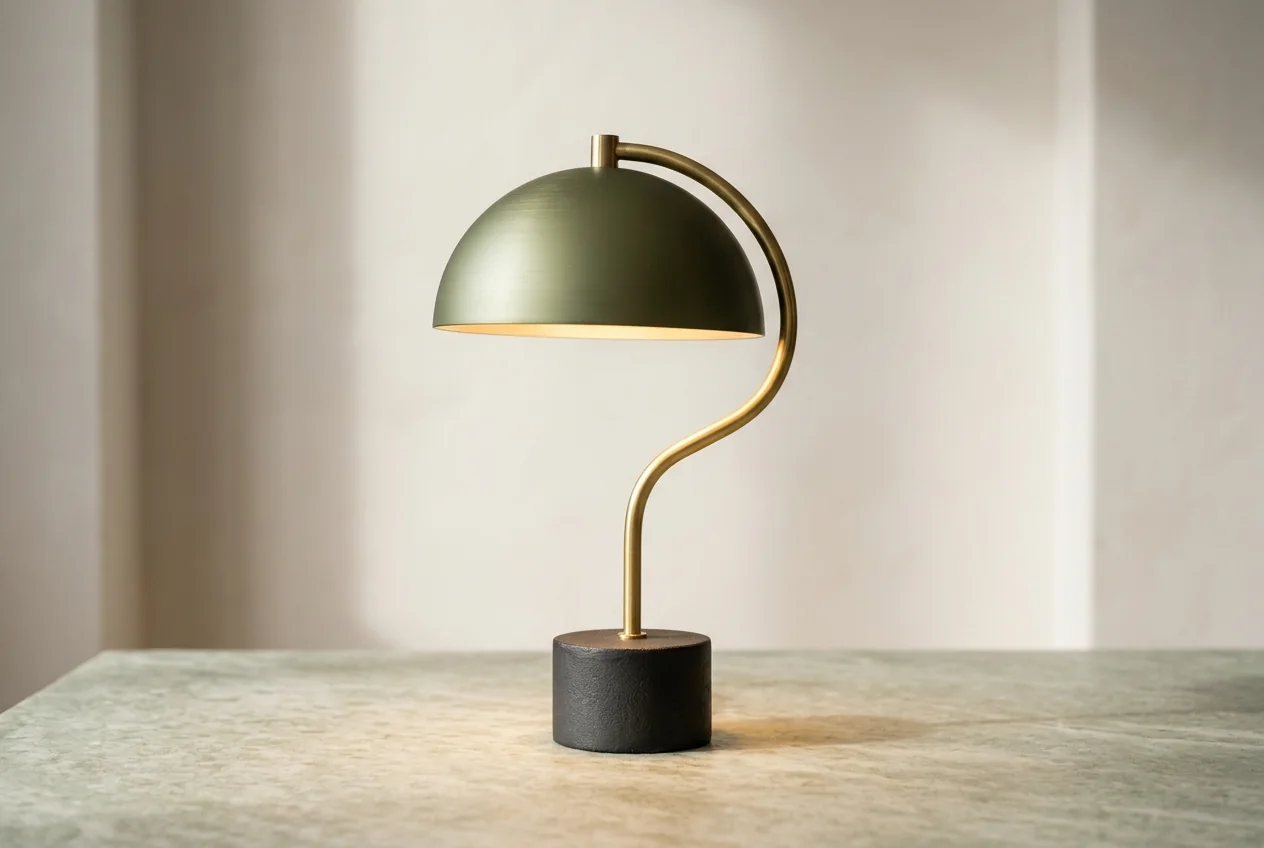
The best AI tool for lifestyle product photos depends on the photo you need. For a product shown in a living room, a kitchen, an office, outdoors or in a hand, start with Photta’s AI Product Photos, at about $0.20 to $0.47 a photo on its monthly plans. If the scene needs people or pets, Caspa AI is built for that. For one look repeated across a catalogue, pick Nightjar; for batches run from a written brief, Presti AI. Dresma and Photoroom choose the scene for you, and Fotographer.ai and Bria state that the product itself is not redrawn. Every price and feature below was read on each vendor’s own pages on 15 November 2026.
This list was built from each vendor’s own product, pricing and documentation pages on that date. The order is not a score, and every entry is held to the same rule: only what the vendor’s own pages state.
Key takeaways
- Scenes come from three places. Caspa AI and ProductAI let you pick or describe a scene, Photoroom’s Product Staging generates the scene automatically, and Dresma chooses backgrounds from category and competitor analysis.
- Only some vendors say the product is left alone. Fotographer.ai states that product pixels remain untouched and Bria’s docs say the product is not regenerated; Photta redraws the product, and Presti AI’s pages do not state either way.
- Cost per photo runs from about $0.03 to about $6. Bria lists about $0.032 per lifestyle image by API, Nightjar $0.125 to about $0.17, Photta about $0.20 to $0.47, and a Dresma Co-Create lifestyle image comes to about $3 to $6.
- Free starts differ in size. Bria gives 100 free generations, Presti AI 60 credits a month, ProductAI 20 credits and Nightjar 6 credits, while Caspa AI states that it has no free plan.
Best AI tools for lifestyle product photos at a glance
| Tool | Best for | How the scene is chosen | Starts from | Free start |
|---|---|---|---|---|
| Photta | Rooms, hands and your own place | Scene type, or your own place photo | $14 a month | 5 photos, watermarked |
| Caspa AI | Scenes with people or pets | Pick a scene or describe one | $59 a month | No free plan |
| Presti AI | Teams producing batches from a brief | A written brief with attachments | $99 a month (pricing page) | 60 credits a month |
| Nightjar | One consistent look across a catalogue | Saved styles, reference photos or directions | $25 a month | 6 photos, no card |
| ProductAI | Scenes, on-model and in-hand shots | Templates, written scene or reference image | €16 a month | 20 credits, no card |
| Dresma | Scenes matched to category trends | AI picks from category analysis | From $5, pay as you go | Free credits, amount not stated |
| CreatorKit | Paying only for images you keep | Category templates, prompt or uploaded image | From $2.99 per image used | Free to generate |
| Fotographer.ai | Furniture and interior scenes, by API | Text, masks or an existing scene | $15 a month | Not listed |
| Bria | Developers building scenes into an app | Text description or reference image | From $0.018 per generation | 100 free generations |
| Photoroom | Automatic staging inside a photo editor | Automatic; no specific background can be picked | $12.99 a month | Free version, limits not stated |
Who chooses the scene in lifestyle product photos
A lifestyle photo shows the product where it would be used: on a kitchen counter, beside a sofa, in a hand, outdoors. Every tool here starts from your own product photo. They differ in who decides the scene.
You pick. The tool offers a list of scenes, styles or templates. This is quick and repeatable, within what the list holds.
You describe. You type the scene, attach a reference image or supply a photo of your own place. This gives the most control and takes a few attempts.
The tool decides. It studies the product or its category and proposes scenes. This helps when you do not know what you want.
Ask one more question of every tool: is the product pasted in as shot, or drawn again with the scene? If all you need is a new backdrop behind an existing photo, see our comparison of tools for changing product backgrounds.
The 10 best AI tools for lifestyle product photos
1. Photta: lifestyle product photos in a room, a hand or your own place
Photta is an AI product photography studio that runs in the browser. With AI Product Photos you upload up to four photos of the same product. The backdrop can be white, a soft gradient, dark, a textured wall or your own backdrop photo. In the Studio the same photo can go into a living room, a kitchen, an office or an outdoor scene, and the scene can be a photo of your own place. It can also go into a hand, into a flat lay or onto a pedestal. You choose the shape, including 9:16 for stories, and the size: 2K on every account, 4K on a paid plan.
- How the scene is chosen: You choose the kind of scene (living room, kitchen, office, outdoor, hand, flat lay or pedestal) or supply a photo of your own place.
- Price: About $0.20 to $0.47 a photo at 2K on the monthly plans, which are $14, $29, $79 and $249 a month. One-time packs without a subscription start at $6.
- Free start: A new account can make its first photos free with no card, enough for 5 product photos at 2K; free photos carry a watermark until a first purchase.
- Not for: Sellers who need the original pixels kept. Photta makes the whole shot from your photos and redraws the product, so compare label text, logo and colour with the real item.
2. Caspa AI: lifestyle product photos with people or pets in the scene
Caspa AI takes one product photo and places it in a lifestyle scene at home or outdoors, with AI people or animals if you want them. It can combine several products in one image. It also makes infographics, Amazon A+ content and, on higher plans, short product videos.
- How the scene is chosen: You pick a scene from its options or describe one in words.
- Price: Starter is $59 a month, or $39 a month billed yearly, for 500 credits; Growth is $99 and Scale is $249 a month. The credits used per image are not stated.
- Free start: No free plan: a card is added when you choose a plan, and every plan has a 30-day money-back guarantee.
- Not for: Sellers who want to test before paying, since its pages state that there is no free plan and a card is required first.
3. Presti AI: batches of lifestyle product photos from a written brief
Presti AI is an agent-style production tool for catalogue teams. You write a brief and attach product images, CSV files or inspiration URLs; it plans the work and produces lifestyle shots, product staging, packshots, videos and infographics in the background for the team to review. Brand rules are stored as Brand Skills.
- How the scene is chosen: A plain-language brief plus attachments such as product images, inspiration URLs, PDFs and packshots.
- Price: The pricing page lists Pro at $99 a month for 500 credits, while the home page card shows $49 a month for 500 credits. A 1K image uses 1 or 3 credits, depending on the model.
- Free start: A free plan gives 60 credits a month, which the home page puts at up to 20 images or 2 videos.
- Not for: Solo sellers who want one quick scene: the pages describe a brief, review and approve workflow, and do not state whether the product is kept or regenerated.
4. Nightjar: lifestyle product photos in one style across a catalogue
Nightjar is built for catalogue consistency. You save a Product with its photos, description and dimensions, then apply the same Photography Style to many products. It lists more than 100 styles, lifestyle editorial and candid outdoor among them, and scenes such as a Parisian apartment. It runs as a web app, a Shopify app and an API.
- How the scene is chosen: You browse its styles, make your own style from three reference images, upload a background, or add written Custom Directions.
- Price: Studio is $25 a month for 150 credits, about $0.17 an image; Studio+ is $50 a month for 400 credits, $0.125 an image. A 4K image uses two credits.
- Free start: New accounts get 6 free credits with no credit card, enough for 6 product photos at 2K.
- Not for: Sellers who need the original pixels composited untouched: its pages describe preservation plus an automated review that retries obvious failures, not untouched pixels.
5. ProductAI: lifestyle product photos from templates or a written scene
ProductAI generates images around one uploaded product photo: new backgrounds, lifestyle scenes, on-model shots and in-hand shots. A scene can be saved as a template and applied to a whole catalogue. It has Shopify integration, an API, and 4K output from its Standard plan up.
- How the scene is chosen: You choose an adaptive template, write your own scene description, or supply a reference scene image.
- Price: Priced in euros: Basic is €16 a month for about 40 product photos, Standard €29, Pro €49 and Max €99 for about 375, which is about €0.26 to €0.40 a photo.
- Free start: 20 free credits to start, with no card needed.
- Not for: Sellers who must keep the original studio lighting on the product: its pages say the product stays as photographed but is relit to match the new scene.
6. Dresma: lifestyle product photos planned from category data
Dresma is an AI content workflow for brands. It builds a mood board from top-performing visuals in your category, then generates lifestyle shots, on-model images, infographics and videos. On its Co-Create tier, Dresma AI artists polish the outputs.
- How the scene is chosen: The AI chooses backgrounds from an analysis of your category and competitors, with mood-board references.
- Price: DIY credits start at $5 with no subscription. On Co-Create a lifestyle image costs 3 credits; the page prices a credit at $1 in one place and at $2 in a 20-credit pack, so about $3 to $6.
- Free start: Initial free credits are offered to test the AI background generator; the amount is not stated.
- Not for: Sellers who want to type their own scene: the pages do not describe prompt or reference-image control over backgrounds.
7. CreatorKit: lifestyle product photos you pay for per download
CreatorKit generates AI backgrounds around a product image inside a drag-and-drop editor, and has a Shopify app. Its page describes hundreds of templates by category, including supplements, beauty, beverages, candles, furniture and jewellery. Generating is free; you pay for the images you download.
- How the scene is chosen: You start from a category template, write a text prompt, or upload an image to use as the background.
- Price: Its feature page says a generated image costs $0 and prices start at $2.99 per image used. Plans run from $0 to $134 a month and include video ad features.
- Free start: You can generate product photos free without entering a credit card, and pay only for downloads.
- Not for: High-volume catalogues: pricing is per downloaded image, and its pages do not describe bulk processing.
8. Fotographer.ai: lifestyle product photos composed from the real product image
Fotographer.ai is an API and a browser web app for product imagery. Its ZenInpaint models insert real product images into existing or generated scenes and can compose several products into one scene, adjusting lighting and spatial context. It is aimed at furniture, interior and cosmetics catalogues and at developers.
- How the scene is chosen: You place the product with masks, text instructions or object replacement, in a scene you supply or one it generates.
- Price: Web app plans are $15, $35 and $79 a month. Pay-as-you-go image generation packs are 50 for $5, 200 for $18 and 500 for $40, about $0.08 to $0.10 a generation.
- Free start: No free plan is listed on the pricing pages read.
- Not for: Non-technical sellers who want a simple template picker: the site leads with an API for developers and enterprise pipelines.
9. Bria: lifestyle product photos through a pay-per-use API
Bria is a developer platform with pay-per-use image APIs trained on licensed data. Two of its Product Shot endpoints generate a lifestyle background around a product, one from a text description and one from a reference image. Its docs recommend starting from a clean cut-out.
- How the scene is chosen: A developer sends a text description of the scene or a reference image, and can select the placement type.
- Price: Pay as you go from $0.018 per generation; a lifestyle image by text or by image is about $0.032. A cut-out first, if needed, adds $0.018.
- Free start: A free tier gives 100 free generations with no credit card.
- Not for: Sellers without a developer: its pages describe APIs, SDKs and plugins, not a point-and-click seller app.
10. Photoroom: lifestyle product photos staged automatically, two per generation
Photoroom is a product-photo editor for web, iOS and Android, with a Shopify app. Its Product Staging tool places the item into a lifestyle scene automatically, for example held, worn or placed on a table, and returns two images per generation. It also removes backgrounds, makes flat lays and has a Batch mode.
- How the scene is chosen: The tool generates the scene itself; you cannot pick a specific background in Product Staging.
- Price: Pro is $12.99 a month on monthly billing, or $7.50 a month billed yearly, with 8,000 AI credits and 1,000 exports a month; Max is $34.99 and Ultra $99.00 a month.
- Free start: Its pages describe a free version for removing or generating backgrounds and a free trial of paid plans; the limits are not stated.
- Not for: Sellers who need the product guaranteed unchanged: staging is generative, a separate Product Fixer corrects AI-generated images, and a fidelity guarantee is an Enterprise add-on.
How to check lifestyle product photos before you publish
Compare each generated scene with the real product at full size before it goes on a listing.
| Check | What to look for |
|---|---|
| Label and logo | Every word and mark matches the real item, small print included |
| Colour | The product colour matches your own photo, not the scene’s light |
| Scale | The product is a believable size beside furniture, hands or props |
| Contact | It sits on the surface with a shadow that follows the scene’s light |
| Hands and people | Fingers, grip and faces look natural |
| Marketplace | The image goes in a slot that allows scenes; Amazon main images must be pure white |
Which AI tool for lifestyle product photos fits your shop
- You need a room, outdoor or in-hand scene at a known cost per photo: use Photta or Nightjar.
- You need people or pets in the scene: use Caspa AI or, for on-model and in-hand shots, ProductAI.
- You run a team that produces batches from a brief: use Presti AI.
- You do not know which scene suits the product: use Dresma or Photoroom.
- You need a vendor that states the product is not redrawn: use Fotographer.ai or Bria.
- You want to pay only for the images you keep: use CreatorKit.
FAQ: AI tools for lifestyle product photos
What is the best AI tool for lifestyle product photos?
It depends on the scene you need. For a room, outdoor or in-hand photo at about $0.20 to $0.47 each, Photta is the simplest start; Caspa AI adds people or pets, Nightjar keeps one look across a catalogue, and Bria and Fotographer.ai suit developers who need the product left as shot.
Can AI make lifestyle product photos from one photo of my product?
Yes. Caspa AI and ProductAI each work from one uploaded product photo, and Photta takes up to four photos of the same product.
Do AI lifestyle product photos change how my product looks?
They can. Photta redraws the product as part of the whole shot, so compare the label, logo and colour with the real item. Fotographer.ai and Bria state that the product is not redrawn, Caspa AI says it remains unchanged, and ProductAI says it is relit to fit the scene.
How much do AI lifestyle product photos cost?
From about $0.03 to about $6 a photo. Bria lists about $0.032 per lifestyle image through its API, Nightjar $0.125 to about $0.17, Photta about $0.20 to $0.47, ProductAI about €0.26 to €0.40, and CreatorKit from $2.99 per image used.
Can I use AI lifestyle product photos on Amazon and Etsy?
Yes for secondary images, with rules for the first one. Caspa AI’s lifestyle page notes that Amazon main images must be pure white and that Etsy needs at least one unedited photo of the actual item. Photta’s pages tell sellers to check each marketplace’s own rules for size and framing.
Can I make lifestyle product photos for free with AI?
Yes, in small numbers. Bria gives 100 free generations, ProductAI 20 credits and Nightjar 6 credits with no card, and Presti AI has a free plan of 60 credits a month. Photta’s first photos are free but carry a watermark until a first purchase, and Caspa AI has no free plan.
Sources for this comparison of lifestyle product photos tools
- Photta: its tool pages, pricing page and llms.txt, read on 15 November 2026.
- Caspa AI, Presti AI, Nightjar, ProductAI, Dresma, CreatorKit, Fotographer.ai, Bria, Photoroom: each vendor’s own product and pricing pages, read on 15 November 2026.
- ProductAI lists its prices in euros; those figures are given as shown and were not converted.
- Cost per photo is our own arithmetic from the listed plan prices. Where a page does not state something, this comparison says “not stated”.
- The addresses of every page read are kept in this site’s source record for this post, so the facts can be refreshed.
Related comparisons
Generate Product Descriptions with AI
Upload your catalog. Get optimized descriptions, titles, keywords, and meta tags in minutes.
Start Free — No Credit CardDescriptra Team
Content Team
The Descriptra team writes about AI content generation, e-commerce SEO, and product copywriting best practices.
Related Articles
Best AI Product Photography Tools for Ecommerce (2026): Photoroom vs Pebblely vs Flair vs Photta
Nov 17, 2026
Best AI Product Photography Tools for Amazon (2026): Photoroom vs Canva vs Adobe Firefly vs Photta
Nov 15, 2026
Best AI Product Photography Tools to Replace Backgrounds (2026): Photoroom vs Adobe Firefly vs Canva vs Photta
Nov 15, 2026