
10 Best AI Tools for Close-Up Product Photos (2026)
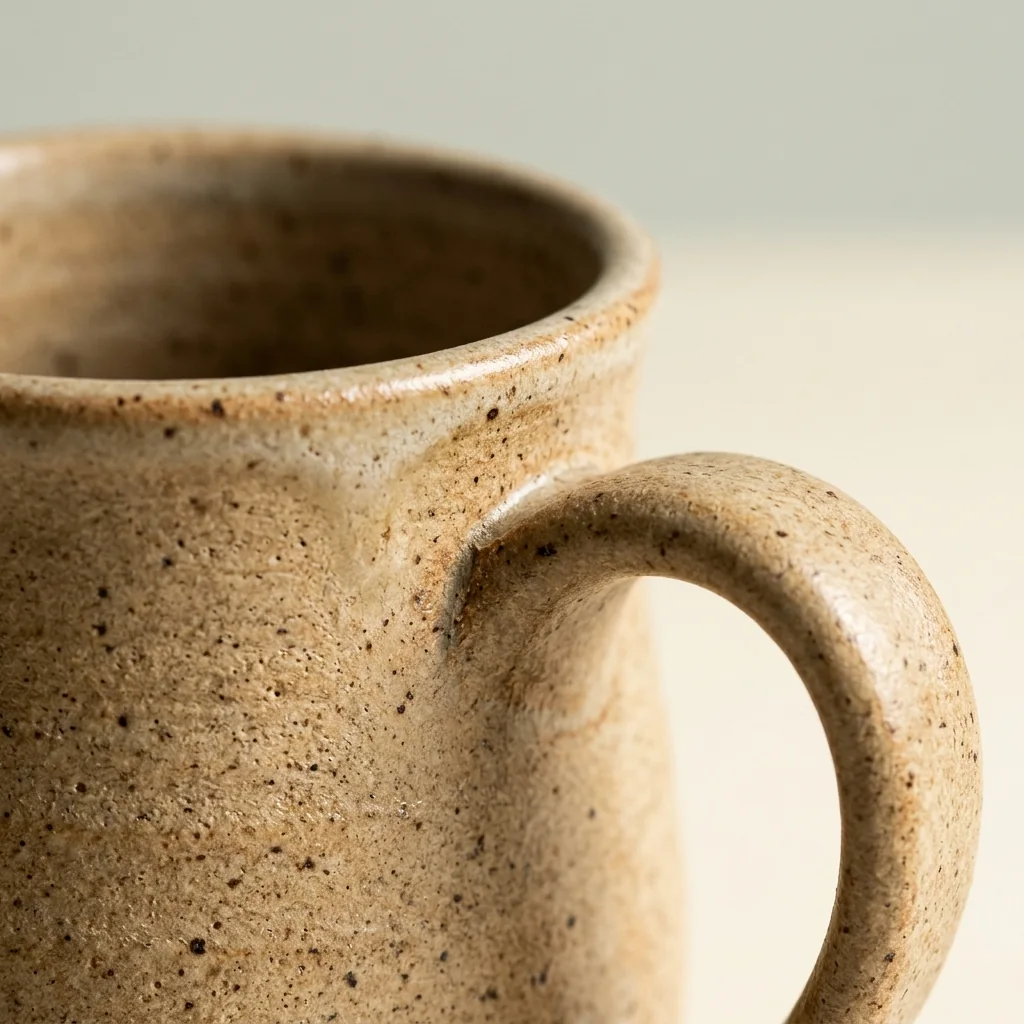
The best AI tool for close-up product photos depends on whether the detail has to be real. For a macro-style shot of texture and finish made from one product photo, start with Photta’s Macro Product Photography, at about $0.20 to $0.47 a photo; the close-up is generated, so compare it with the real product. For several detail shots from one picture, use getimg.ai or OpenCreator; for fixed framing controls, Nightjar; for close-ups on a model, Rawshot.ai. When buyers must see the true stitching or engraving, crop your own photo and enlarge it with Upsampler, Recraft’s crisp upscale or Bria. Every price and feature below was read on each vendor’s own pages on 15 November 2026.
This list was built from each vendor’s own product, pricing, help and documentation pages on that date. The order is not a score, and every entry is held to the same rule: only what the vendor’s own pages state.
Key takeaways
- Three vendors say in writing that a generated close-up can invent detail. getimg.ai says details the camera never captured are “filled in by the AI”, Wiro’s blog calls small details “plausible rather than dependable”, and Nightjar calls a generated close-up “a new synthetic view”.
- A crop of your own photo is the close-up that stays real. Nightjar’s help page says only a manual crop keeps product pixels unchanged, and Upsampler’s faithful models, Recraft’s crisp upscale and Bria’s endpoint enlarge that crop without regenerating it.
- Stated cost per generated close-up runs from about $0.125 to $0.56. Nightjar states $0.125 to about $0.17 an image, Photta is about $0.20 to $0.47, AI-Flow about $0.30 to $0.37, Wiro $0.50 a run and Rawshot.ai $0.45 to $0.56.
- Few tools state an output size. Photta gives 2K on every account and 4K on a paid plan, Nightjar and Rawshot.ai give 2K or 4K, getimg.ai goes up to 4K, and Upsampler enlarges to 100 megapixels.
Best AI tools for close-up product photos at a glance
| Tool | Best for | Is the detail real or generated? | Starts from | Free start |
|---|---|---|---|---|
| Photta | A macro shot of texture and finish | Generated from your photo | About $0.20 a photo | 5 photos, watermarked |
| Nightjar | Fixed framing and camera distance | Generated; a manual crop stays real | $25 a month | 6 photos at 2K |
| getimg.ai | A set of detail shots at once | Generated; its page says so | $15 a month, billed yearly | Not stated |
| Wiro AI Product Photoshoot | Paying per run, or by API | Generated; “plausible rather than dependable” | $0.50 a run | Not stated |
| AI-Flow | One close-up inside a four-shot set | Not stated on its pages | $4.99 for 200 credits | Free credits, amount not stated |
| OpenCreator | Close-ups plus lifestyle from one reference | Generated from a reference image | $39 a month | 500 credits a month |
| Rawshot.ai | Close-ups worn by a model | Generated, on a model | $9 a month | 7-day trial, 10 images |
| Upsampler | Enlarging your own crop, pay as you go | Real, enlarged, on faithful models | $0.04 a credit | Not stated |
| Recraft Upscale | The lowest listed price per enlargement | Real, enlarged, on crisp upscale | $0.004 a request | Not stated for upscaling |
| Bria Increase Resolution API | Stores with a developer and many crops | Real, enlarged; adds no new detail | $0.032 an image | 100 free generations |
Real detail or generated detail in close-up product photos
A close-up for a listing can be made in two ways, and they are not the same kind of picture.
A generated close-up is drawn by an image model. You give it a product photo, and it renders a new view from nearer in. The model has only the pixels in your photo to go on, so anything the camera did not record is filled in with something that looks likely. The stitch count, an engraving or small print can differ from the item you ship.
A cropped and enlarged close-up is cut from your own photo and made bigger by an upscaler that keeps the content. Every stitch in it was in front of your camera. It cannot show more than the source recorded, so a soft photo gives a soft crop. Our guide to upscaling product photos covers that step.
Use the first for mood and texture, the second for proof.
The 10 best AI tools for close-up product photos
1. Photta: macro-style close-up product photos generated from one photo
Photta is an AI product photography studio that runs in the browser, and Macro Product Photography is one of its tools. What goes in is a photo of the product. What comes out is a macro-style close-up of its texture and detail, at 2K on every account and at 4K on a paid plan, in 1:1, 3:4, 4:3, 16:9 or 9:16. The seller chooses the photo, the size and the shape of the frame. Jewelry has its own macro workflow for rings, necklaces, earrings and bracelets. A developer API is included on every plan.
- Is the detail real or generated?: Generated. The close-up is made from your photo rather than cut from it, so compare the texture, label text, stones and engraving with the real product before publishing.
- Price: About $0.20 to $0.47 a photo at 2K on the monthly plans, which run from $14 to $249 a month; 4K costs slightly more. One-time packs start at $6 and never expire.
- Free start: A new account can make its first photos free with no card, enough for 5 product photos at 2K within 30 days; free photos carry a watermark until a first purchase.
- Not for: Proof of construction. A seller who must show the exact stitching, hallmark or small print should crop a real photo instead.
2. Nightjar: close-up product photos from a fixed Macro framing control
Nightjar is an AI product photoshoot app for the web, Shopify and an API, built around a saved product record with several reference photos and real dimensions. For a product-only close-up the seller picks Macro in the Framing control; with a model, a Close-up camera distance. Images are 2K or 4K.
- Is the detail real or generated?: Generated, and its help page says so: a generated close-up is “a new synthetic view”, only a manual crop keeps the product pixels unchanged, and Upscale adds estimated pixels.
- Price: Studio is $25 a month for 150 credits, about $0.17 an image; Studio+ is $50 a month, $0.125 an image. A 4K image uses two credits.
- Free start: Six free credits with no card, enough for 6 product photos at 2K.
- Not for: Regulatory text or an ingredient label: its own help page advises a macro photograph of the real label for those.
3. getimg.ai: four, six or eight close-up product photos from one picture
getimg.ai is an AI image and video platform with a tool called Zoom on details. The seller adds one photo of a product, a garment or a room, chooses 4, 6 or 8 details, sets quality and aspect ratio, and downloads separate close-ups of textures, materials and finishes, up to 4K.
- Is the detail real or generated?: Generated. Its page says fine details the camera never captured, such as an exact stitch pattern or a tiny engraving, are “filled in by the AI”, and tells sellers to check close-ups against the real item.
- Price: Entry is $15 a month, billed yearly at $180, for 8,000 credits a month; Core is $26 a month on yearly billing. The credits used per detail image are not stated.
- Free start: Not stated on the pages read; commercial rights are listed on paid plans.
- Not for: Showing real construction, by the page’s own warning, and sellers who need to know the cost of one image before subscribing.
4. Wiro AI Product Photoshoot: pay-per-run close-up product photos with no subscription
Product Photoshoot is a pay-per-run model on Wiro’s AI model and API platform. The seller uploads one product image, picks a style such as studio, minimalist or luxury, and picks a framing plan, one of which is close-up.
- Is the detail real or generated?: Generated. Wiro’s own blog says of its close-up output that small details are “plausible rather than dependable product documentation”.
- Price: Running the model costs $0.50 in total per run, prepaid and usage-based. The number of images per run is not stated.
- Free start: Not stated on the pages read.
- Not for: Factual detail shots. By the vendor’s own account the output suits mood and editorial images.
5. AI-Flow: a four-shot set that includes close-up product photos
AI-Flow is a template-based workflow site. Its Product Shots template takes one product photo and, with no prompt, returns a two-by-two set: a wide shot, a medium shot, a close-up and a dynamic angle, as one grid and as separate panels.
- Is the detail real or generated?: Its pages do not say whether the detail is real or generated; they say the product stays “visually consistent” across the four shots.
- Price: Credit bundles are $4.99 for 200, $9.99 for 500 and $29.99 for 1,500. A photoshoot of four images costs 60 credits, about $0.30 to $0.37 an image.
- Free start: Free credits to try with no card; the amount is not stated.
- Not for: A macro of one chosen area: the set is fixed at four shots.
6. OpenCreator: workflow templates for close-up product photos and texture shots
OpenCreator is a workflow-template platform that chains AI models. Its templates include Close-up Texture Shots, a multi-angle set with optional detail close-ups, and a nine-image set from one reference photo: three detail close-ups, three lifestyle scenes with a model and three still lifes.
- Is the detail real or generated?: Generated. Its template page says an image model creates the close-ups and follows the reference image for shape, proportions, colors and design details.
- Price: Starter is $39 a month, or $27 a month billed yearly, for 15,000 credits that do not roll over. The credits used per image for these templates are not listed.
- Free start: A free tier with a limit of 500 credits a month, limited model access and history kept for 3 days.
- Not for: A seller who wants one sure result: its template page asks the user to select the most accurate shots.
7. Rawshot.ai: on-model close-up product photos for fashion and jewelry
Rawshot.ai is a click-based AI fashion photography tool with no prompts. The seller imports the product, chooses a model, pose, light and composition, and gets on-model images, including close-up framings for fashion, jewelry, footwear and accessories, at 2K or 4K. Every image carries C2PA AI labelling.
- Is the detail real or generated?: Generated. Its page says every generated image is checked against the chosen model, frame, view and pose before delivery; it is not a crop of the seller’s photo.
- Price: Starter is $9 a month for 16 images, $0.56 an image; Business is $179 a month, $0.45 an image.
- Free start: A 7-day free trial with 50 credits, which is 10 images.
- Not for: A macro crop of a packshot with no person in it, or sellers who do not want AI labelling embedded in listing photos.
8. Upsampler: enlarging a crop into close-up product photos with faithful models
Upsampler is an upscaler, not a close-up generator: it enlarges a photo that already exists. The seller crops the detail from their own picture and uploads it. The platform upscales to 100 megapixels in the browser or by API and labels its models as creative or faithful.
- Is the detail real or generated?: Real when a faithful model is chosen: its site says faithful models preserve the original and suit real photos and images with text, while creative models regenerate the image.
- Price: Pay as you go is 4 cents a credit with no monthly fee; Pro is $15 a month for 1,000 credits. Upscaling uses 0.25 to 1 credit per megapixel of output.
- Free start: No free allowance is stated on the pages read; purchased credits never expire.
- Not for: A blurred or tiny source: an enlargement cannot add what the photo did not record, and cost rises with output megapixels.
9. Recraft Upscale: a crisp upscale for enlarging crops into close-up product photos
Recraft is a design and image generation tool that exposes two upscalers through its API: crisp and creative. Both enlarge an existing image; neither makes a new close-up. The seller crops the detail first. The input must be PNG, JPG or WebP, under 20 MB and up to 16 megapixels.
- Is the detail real or generated?: Real on crisp upscale, which its documentation says makes the image sharper and cleaner and keeps the content the same; creative upscale regenerates fine detail.
- Price: Crisp upscale is $0.004 a request and creative upscale is $0.25 a request, paid from prepaid API units that do not expire.
- Free start: A Free plan exists for the Recraft app; whether it includes upscales is not stated.
- Not for: Sellers who want a point-and-click app with a known price: these facts are for the API, and the output size is not stated.
10. Bria Increase Resolution API: an API that enlarges crops into close-up product photos without new detail
Bria Increase Resolution is a developer API endpoint that multiplies the resolution of an existing image by 2 or 4, up to a total area of 8192 x 8192 pixels. It enlarges a crop of the seller’s photo; it does not make a new close-up. An option keeps output colors identical to the input.
- Is the detail real or generated?: Real. Its documentation says the endpoint does not add new details and preserves the original image content without regeneration.
- Price: Pay as you go lists Increase Resolution at $0.032 an image, with no monthly fee shown.
- Free start: A free tier with 100 free generations and no card needed.
- Not for: Sellers without a developer or an integration: it is an API, not a point-and-click app.
How to check close-up product photos before you publish
Open each close-up at full size beside the product itself.
| Check | What to look for |
|---|---|
| Stitching and weave | The same stitch count, direction and thread color as the item |
| Text and logos | Every letter of a label, hallmark or engraving, spelled and placed as on the product |
| Hardware | The real number of rivets, teeth, links, stones and prongs |
| Color and finish | Matte stays matte; the metal tone and grain match |
If a generated close-up fails any row, use a crop of a real photo for that detail.
Which AI tool for close-up product photos fits your shop
- You need a macro shot of texture or finish from one product photo: use Photta or Nightjar.
- You need several detail shots from one picture: use getimg.ai or OpenCreator.
- You need close-ups of clothing or jewelry worn by a model: use Rawshot.ai.
- You want to pay per image with no subscription: use Wiro, or AI-Flow’s credit bundles.
- You must show the true stitching, engraving or label: crop your own photo and enlarge it with Upsampler’s faithful models.
- You have a developer and hundreds of crops to enlarge: use Bria’s API or Recraft’s crisp upscale.
FAQ: AI tools for close-up product photos
What is the best AI tool for close-up product photos?
It depends on whether the detail must be real. For a macro-style shot generated from one product photo, Photta’s Macro Product Photography is a simple start at about $0.20 to $0.47 a photo; getimg.ai returns 4, 6 or 8 detail shots from one picture. For detail that is truly from your item, crop your own photo and enlarge it with Upsampler, Recraft’s crisp upscale or Bria.
Are AI close-up product photos real or generated?
Most are generated. Photta, Nightjar, getimg.ai, Wiro, OpenCreator and Rawshot.ai draw a new image from your photo, and getimg.ai, Wiro and Nightjar say on their own pages that such detail can be invented. Only a crop of your own photo, enlarged by a tool that keeps the content, shows what the camera recorded.
Can I make close-up product photos from a photo I already have?
Yes. Crop the detail from your sharpest photo and enlarge it with an upscaler that preserves the original, such as Upsampler’s faithful models, Recraft’s crisp upscale or Bria’s Increase Resolution API. The result cannot show more than the source recorded.
How much do AI close-up product photos cost?
From $0.004 to $0.56 an image on the prices listed. Enlarging a crop costs $0.004 a request with Recraft’s crisp upscale and $0.032 an image with Bria; a generated close-up costs $0.125 to about $0.17 with Nightjar, about $0.20 to $0.47 with Photta, $0.50 a run with Wiro and $0.45 to $0.56 with Rawshot.ai.
Can I use AI close-up product photos to show stitching, engraving or label text?
No, not as proof. getimg.ai says an exact stitch pattern or a tiny engraving is filled in by the AI, and Nightjar advises a macro photograph of the real label for regulatory text. Use a crop of a real photo for those.
Which AI tools make several close-up product photos from one picture?
getimg.ai, OpenCreator and Nightjar do. getimg.ai returns 4, 6 or 8 separate detail images from one photo, OpenCreator has a template that makes three detail close-ups in a nine-image set, and Nightjar’s paid plans make one to six images per request.
Sources for this comparison of close-up product photos tools
- Photta: its tool pages, pricing page and llms.txt, read on 15 November 2026.
- Nightjar, getimg.ai, Wiro AI Product Photoshoot, AI-Flow, OpenCreator, Rawshot.ai, Upsampler, Recraft Upscale, Bria Increase Resolution API: each vendor’s own product and pricing pages, read on 15 November 2026.
- Upsampler, Recraft Upscale and Bria are upscalers: they enlarge an existing photo and do not generate a close-up.
- Cost per photo is our own arithmetic from the listed plan prices. Where a page does not state something, this comparison says “not stated”.
- The addresses of every page read are kept in this site’s source record for this post, so the facts can be refreshed.
Related comparisons
Generate Product Descriptions with AI
Upload your catalog. Get optimized descriptions, titles, keywords, and meta tags in minutes.
Start Free — No Credit CardDescriptra Team
Content Team
The Descriptra team writes about AI content generation, e-commerce SEO, and product copywriting best practices.
Related Articles
Best AI Product Photography Tools for Ecommerce (2026): Photoroom vs Pebblely vs Flair vs Photta
Nov 17, 2026
Best AI Product Photography Tools for Amazon (2026): Photoroom vs Canva vs Adobe Firefly vs Photta
Nov 15, 2026
Best AI Product Photography Tools to Replace Backgrounds (2026): Photoroom vs Adobe Firefly vs Canva vs Photta
Nov 15, 2026