
10 Best AI Tools for Flat Lay Product Photos (2026)
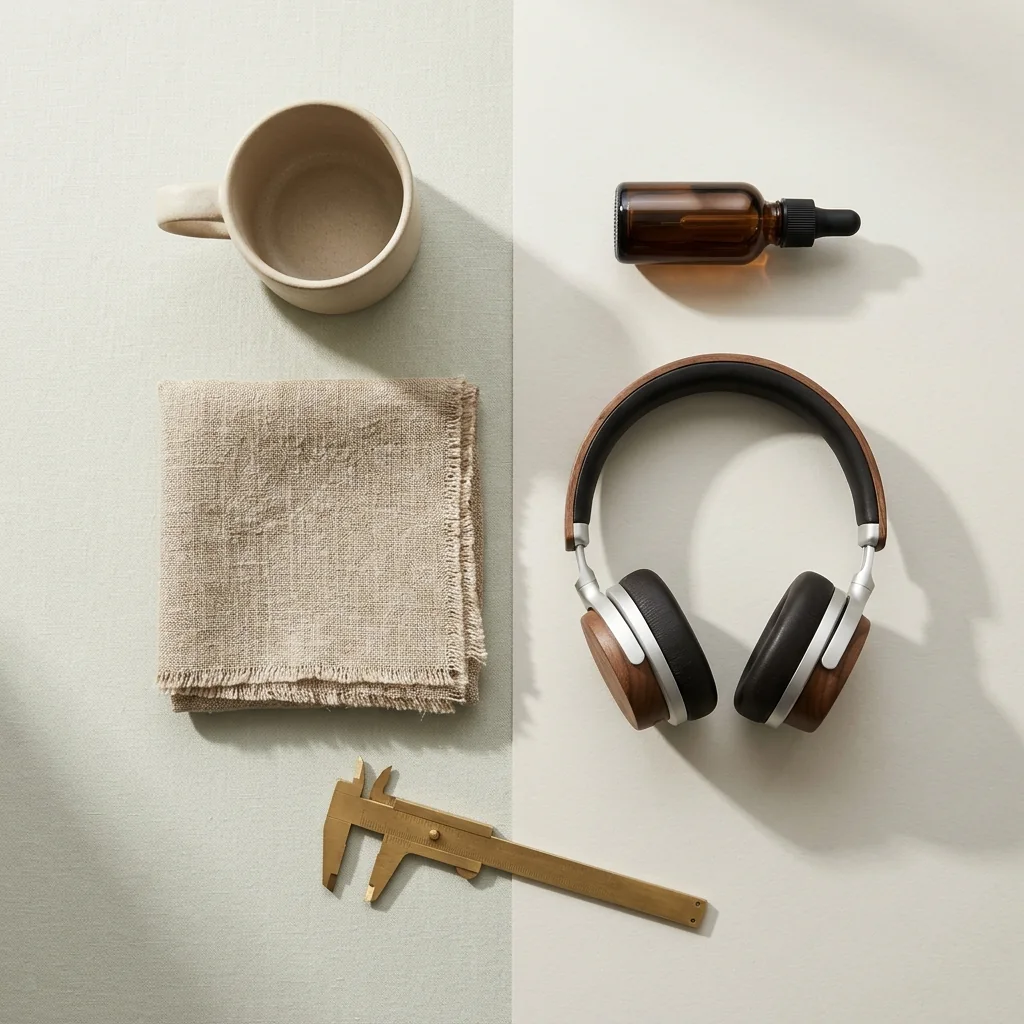
The best AI tool for flat lay product photos depends on what you sell. For an object such as a mug, a bottle or a pair of headphones, start with Photta’s AI Product Photos, which turns a product photo into a flat lay seen from above at about $0.20 to $0.47 a photo on its monthly plans. For several products arranged together with props, pick Morphic. For clothing, WearView lays a garment from a hanger photo flat, and BudgetPixel and Hypotenuse AI start from a photo of a model wearing it. Wiro charges per run by API. Every price and feature below was read on each vendor’s own pages on 15 November 2026.
This list was built from each vendor’s own product, pricing and blog pages on that date. The order is not a score, and every entry is held to the same rule: only what the vendor’s own pages state.
Key takeaways
- The input decides the tool. Photta, Morphic, Wiro and Krea start from a product photo and build a top-down scene, while WearView, BudgetPixel, Hypotenuse AI and Photoroom start from a photo of a garment.
- Props are generated, not photographed. Wiro’s own blog says its flat-lay props are invented, and Morphic’s page says surface and accents are restyled while the products stay accurate.
- Stated cost per image runs from about $0.01 to $0.50. Magic Hour’s $10 pack works out at about $0.0125 an image, BudgetPixel is about $0.05 at 1K, Photta about $0.20 to $0.47 and Wiro $0.5 a run.
- Few vendors state a batch size. WearView says it runs up to 50 garments in one batch, and Hypotenuse AI says you can batch upload product images.
Best AI tools for flat lay product photos at a glance
| Tool | Best for | What goes in, what comes out | Starts from | Free start |
|---|---|---|---|---|
| Photta | A top-down scene for one object | Product photo in, top-down scene out | $14 a month | 5 photos, watermarked |
| Magic Hour | A quick free flat lay on white | Garment or product in, white flat lay out | $10 one-time pack | 3 uses a day |
| Morphic | Several products in one styled scene | Product images and a prompt in, scene out | $19 a month, billed yearly | Up to 20 credits |
| BudgetPixel AI Flatlay Generator | An outfit flat lay at low cost | Worn-outfit photo in, outfit flat lay out | $10 a month | 300 credits a month |
| WearView | A matching set of garment flat lays | Garment photo in, straightened flat lay out | $29 a month | Sample shoots, amount not stated |
| Wiro AI Product Photoshoot | Editorial flat lays paid per run | One product image in, styled shot out | $0.5 per run | Not stated |
| Tolstoy | Brands using a wider content suite | Product or model shot in, template out | $20 a month | Yes, allowance not stated |
| Hypotenuse AI | Catalogue teams converting model shots | On-model clothing photos in, flat lays out | Sold by quote | Trial, limits not stated |
| Krea | Variations for a product page | Packshot in, several flat lay variations out | $9 a month | 100 units a day |
| Photoroom | Garment flat lays in an editor | Hanger, mannequin or model photo in | $7.50 a month, billed yearly | Free version, limits not stated |
Scene or garment: two kinds of flat lay product photos
“Flat lay” means two different pictures, and most tools make only one of them.
A styled flat lay scene shows an object from directly above on a surface, often with props: a candle on linen, a serum beside dried flowers. The tool takes your product photo and generates the surface, the light and everything around the product. Check the props: a buyer may assume that what is in the frame is in the box.
A clothing flat lay shows one garment, or one outfit, laid out straight on a plain backdrop. The tool takes a photo of the garment on a hanger, a mannequin, a table or a model, removes the support and lays the fabric flat. Check that the cut, the print and the colour survive the re-laying.
If you want the product in a room at eye level instead, see our comparison of tools for lifestyle product photos.
The 10 best AI tools for flat lay product photos
1. Photta: flat lay product photos seen from above, from your product photo
Photta is an AI product photography studio that runs in the browser. With AI Product Photos you upload up to four photos of the same product, and in the Studio you pick the job: a flat lay seen from above is one of them, beside room scenes, a hand and a pedestal. The size is 2K on every account and 4K on a paid plan. For clothing there is a second route: Photta’s Ghost Mannequin can output a flat lay from one garment photo. Photta makes the whole shot from your photos and redraws the product, so compare the label, the shape and the colour with the real item before publishing.
- What goes in, what comes out: Up to four photos of one product go in and a flat lay seen from above comes out; one garment photo goes into Ghost Mannequin for a clothing flat lay.
- Price: About $0.20 to $0.47 a photo at 2K on the monthly plans, which are $14, $29, $79 and $249 a month. One-time packs without a subscription start at $6.
- Free start: A new account can make its first photos free with no card, enough for 5 product photos at 2K; free photos carry a watermark until a first purchase.
- Not for: Sellers who need the original pixels kept: the product is redrawn, so it must be compared with the real item.
2. Magic Hour: one-click flat lay product photos on pure white
Magic Hour is a browser suite of AI tools. Its flat lay generator takes a photo of a garment or product that is worn, hanging or lying down and returns it laid flat, seen straight from above, centred on a pure white background with soft even light and a subtle shadow.
- What goes in, what comes out: One photo goes in and one centred flat lay on white comes out, smoothed and symmetrical.
- Price: One-time packs start at $10 for 4,000 credits, listed as up to 800 images, about $0.0125 an image. Its subscription prices were shown in Turkish lira on the day read; a US dollar price is not stated.
- Free start: 3 free uses per day on each tool with no account, and a free account adds 400 signup credits; free use is personal and non-commercial only.
- Not for: Sellers who want props or a styled surface, and garments whose real drape matters.
3. Morphic: prompted flat lay product photos with several products and props
Morphic is an AI image and video studio on an infinite canvas. Its flat lay generator composes several uploaded products into an overhead scene with props, a surface and lighting set by your prompt. The page says the products stay accurate while the surface and accents are restyled.
- What goes in, what comes out: Several product images and a written prompt go in; an overhead scene lit from above comes out.
- Price: On yearly billing Basic is $19 a month for 2400 monthly credits. Credit use varies by operation, so a cost per image cannot be worked out from its pages.
- Free start: A free plan with up to 20 credits, 1 user and limited models.
- Not for: Sellers who want a fixed layout without writing prompts: the page describes rerunning until the scene balances.
4. BudgetPixel AI Flatlay Generator: outfit flat lay product photos from a model-worn picture
BudgetPixel AI is a multi-model AI generator with task pages. Its flatlay generator takes a photo of a model wearing an outfit and rebuilds the garments as a top-down arrangement. You describe the background, the spacing and whether accessories stay.
- What goes in, what comes out: A photo of a model in an outfit goes in; a top-down outfit flat lay, rebuilt by the AI, comes out.
- Price: An image uses 55 credits at 1K and 110 at 2K, about $0.05 on the Basic plan, which is $10 a month for 11,000 credits. Credit packs are 1,000 credits per $1 with no subscription.
- Free start: 300 free credits a month with no credit card, enough for 5 flat lay images at 1K.
- Not for: Styled flat lays of products other than clothing: its page describes outfits only.
5. WearView: clothing flat lay product photos from a hanger or table snap
WearView is an AI fashion photo studio. Its flat lay generator takes a quick hanger, mannequin or table photo of a garment, removes the hanger, lays the garment out straight and puts every piece on the same backdrop, with an optional matching back view. The page says up to 50 garments run in one batch, at up to 4K.
- What goes in, what comes out: A garment photo goes in; a straightened flat lay on one consistent backdrop comes out.
- Price: Lite is $29 a month for 50 credits, about 10 images at 4K; Pro is $49 a month for 200 credits, about 40 images at 4K. Credits per flat lay are not stated.
- Free start: The pricing page mentions free sample shoots in 8 studios; a free credit amount is not stated.
- Not for: Products other than apparel: the page describes garments only, not styled flat lays of objects with props.
6. Wiro AI Product Photoshoot: flat lay product photos as one style of a pay-per-run model
Wiro is an AI model and API platform. Its Product Photoshoot model takes one product image and a style, and flat-lay is one of the styles beside studio, lifestyle, minimalist, luxury, outdoor and editorial.
- What goes in, what comes out: One product image and the flat-lay style go in; a styled shot comes out, and Wiro’s blog says the flat-lay props are invented.
- Price: $0.5 per run, prepaid and usage-based. The number of images per run is not stated.
- Free start: Not stated on the pages read.
- Not for: Factual listing images: Wiro’s own write-up calls small details in its output plausible rather than dependable product documentation.
7. Tolstoy: template-based flat lay product photos, single, grid or from a model shot
Tolstoy is a commerce content platform for product images, video, ads and shoppable video. Its Media Studio template library includes Generic Flat Lay, Model To Flat Lay and Flat Lay Grid for several products. The template copy says the photos honour true colour, texture and proportions.
- What goes in, what comes out: A product photo or a model shot goes into a template; a single flat lay, an apparel flat lay or a multi-product grid comes out.
- Price: The entry paid plan is $20 a month, or $16 on annual billing, for 4,000 AI credits a month. Its page says credits are not a fixed number of photos.
- Free start: A “Start for free” button is shown; the free allowance is not stated.
- Not for: A seller who needs a few flat lays at a known cost per image.
8. Hypotenuse AI: batch clothing flat lay product photos from on-model shots
Hypotenuse AI is an ecommerce content platform for catalogue teams, covering descriptions, product data and images. Its clothing flat lay generator turns photos of clothing on models into flat lays for product pages, with batch upload. The page says results may vary with low-quality inputs or misleading angles.
- What goes in, what comes out: Photos of clothing on a model go in, singly or as a batch upload, and flat lays come out.
- Price: Not stated on its pages; sold by quote. Both plans, Basic and Ecommerce Enterprise, show “Custom”.
- Free start: A “Try for free” button is shown; the trial limits are not stated.
- Not for: A solo seller who wants a handful of images at a published price.
9. Krea: flat lay product photos in several variations from a packshot
Krea is a general AI image and video platform. “flatlay pdp” is a Krea Nodes app: you upload a product photo or packshot, the AI detects the item and cleans its edges, you set a style, and it generates several flat lay variations sized for marketplaces.
- What goes in, what comes out: A product photo or packshot goes in and multiple flat lay variations come out; bulk upload is not stated.
- Price: Basic is $9 a month, or $5 a month on annual billing, for 5,000 units a month. The cost per image for this app is not stated.
- Free start: The Free plan gives 100 units a day.
- Not for: Sellers who need the product kept exactly: its pages do not state that, so check labels and logos.
10. Photoroom: clothing flat lay product photos inside a photo editor
Photoroom is a product photo editor on the web, iOS and Android, with a Shopify app. Its Flat Lay tool takes a photo of clothing on a hanger, a mannequin or a model and generates a clean, top-down flat lay. The same editor removes backgrounds and has a Batch mode.
- What goes in, what comes out: A photo of clothing on a hanger, mannequin or model goes in; a top-down flat lay of the garment comes out.
- Price: Pro is $12.99 a month on monthly billing, or $7.50 a month billed yearly, for 8,000 AI credits and 1,000 exports a month.
- Free start: Its pages say there is a free version for removing or generating backgrounds and a free trial of paid plans; the limits are not stated.
- Not for: Styled flat lays of objects with props: the Flat Lay tool is described for clothing and soft goods only.
How to check flat lay product photos before you publish
Before a generated flat lay goes on a listing, go through these points with the real item beside the screen.
- Props: nothing in the frame that the buyer could take as part of the order.
- Count: every piece of a set or outfit is present, once.
- Shape: the cut, length and proportions match; a smoothed, symmetrical garment can hide how it really hangs.
- Print and logo: text, pattern repeat and logo position match the real item.
- Colour: fabric or packaging colour is the same on the new surface and under the new light.
- Back view: if the tool made one, it shows the real back.
Which AI tool for flat lay product photos fits your shop
- You sell an object and want a single top-down scene from a product photo: use Photta or Krea.
- You want several products and props arranged in one frame: use Morphic or Tolstoy with its Flat Lay Grid template.
- You have hanger or table photos of garments and want a matching set: use WearView or Photoroom.
- You only have photos of a model wearing the clothes: use BudgetPixel AI Flatlay Generator or Hypotenuse AI.
- You want a free test on a plain white background: use Magic Hour.
- You are a developer and want to pay per run by API: use Wiro AI Product Photoshoot.
FAQ: AI tools for flat lay product photos
What is the best AI tool for flat lay product photos?
It depends on whether you sell objects or clothing. For an object, Photta’s AI Product Photos turns a product photo into a flat lay seen from above at about $0.20 to $0.47 a photo, and Morphic arranges several products with props. For garments, WearView and Photoroom work from a hanger or mannequin photo.
How much do AI flat lay product photos cost?
From about $0.01 to $0.50 an image where a vendor states it. Magic Hour’s $10 pack is listed as up to 800 images, BudgetPixel is about $0.05 at 1K, Photta about $0.20 to $0.47 and Wiro $0.5 a run. Hypotenuse AI is sold by quote.
Can I make flat lay product photos for free?
Yes, a few. BudgetPixel gives 300 free credits a month, enough for 5 flat lay images at 1K, and Magic Hour allows 3 free uses per day for personal, non-commercial use. Photta’s free start covers 5 product photos, which carry a watermark until a first purchase.
Can AI make clothing flat lay product photos from a model photo?
Yes. BudgetPixel rebuilds a worn outfit as a top-down arrangement, Hypotenuse AI converts on-model clothing photos in batches, and Tolstoy has a Model To Flat Lay template. Photoroom accepts clothing on a model, a hanger or a mannequin.
Do AI flat lay product photos change my product?
It can, because the image is generated. Photta redraws the product, Magic Hour’s page says the item is smoothed and made symmetrical, and Wiro’s blog says flat-lay props are invented. Compare shape, print, logo and colour with the real item before publishing.
Can I use flat lay product photos as the main image on a marketplace?
It depends on the marketplace, so read its own image rules first. Photta’s pages tell sellers to check each marketplace’s rules for size and framing. For a plain main image, see our comparison of tools for white background product photos.
Sources for this comparison of flat lay product photos tools
- Photta: its tool pages, pricing page and llms.txt, read on 15 November 2026.
- Magic Hour, Morphic, BudgetPixel AI Flatlay Generator, WearView, Wiro AI Product Photoshoot, Tolstoy, Hypotenuse AI, Krea, Photoroom: each vendor’s own product and pricing pages, read on 15 November 2026.
- Magic Hour’s subscription prices were shown in Turkish lira when its pricing page was read; only its US dollar credit pack is quoted here.
- Cost per photo is our own arithmetic from the listed plan prices. Where a page does not state something, this comparison says “not stated”.
- The addresses of every page read are kept in this site’s source record for this post, so the facts can be refreshed.
Related comparisons
Generate Product Descriptions with AI
Upload your catalog. Get optimized descriptions, titles, keywords, and meta tags in minutes.
Start Free — No Credit CardDescriptra Team
Content Team
The Descriptra team writes about AI content generation, e-commerce SEO, and product copywriting best practices.
Related Articles
Best AI Product Photography Tools for Ecommerce (2026): Photoroom vs Pebblely vs Flair vs Photta
Nov 17, 2026
Best AI Product Photography Tools for Amazon (2026): Photoroom vs Canva vs Adobe Firefly vs Photta
Nov 15, 2026
Best AI Product Photography Tools to Replace Backgrounds (2026): Photoroom vs Adobe Firefly vs Canva vs Photta
Nov 15, 2026